
Accessibility
Make the stories of a place accessible to everyone
An app is an excellent tool for making information and the stories of a place accessible to many people. But not everyone has the same ability to take in text, audio and images.
Adapt the content
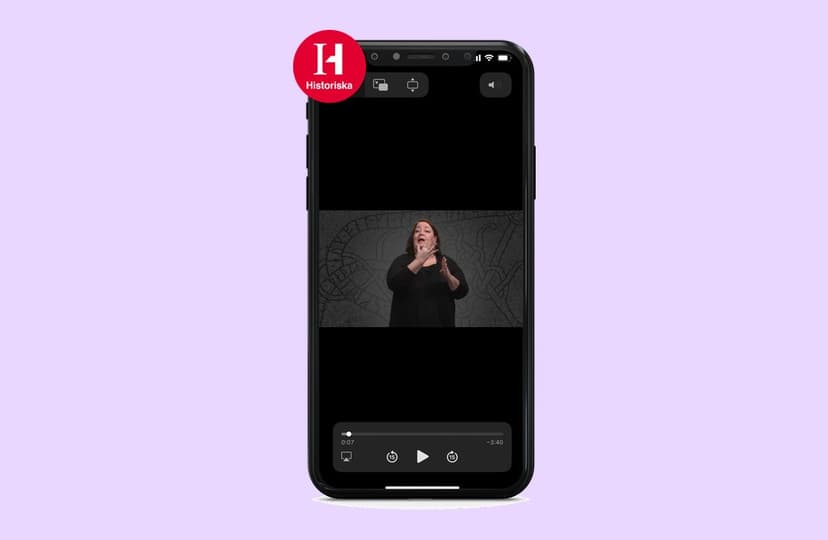
Adapting the content gets you a long way: subtitle your films, make sign-language versions like the example from the Swedish History Museum in the picture, offer both audio and text, write in plain language and make sure there is enough contrast.
We're happy to advise you on how to make your content accessible.
The app is designed for everyone
The app itself must also be adapted to different disabilities – and that's our responsibility. We follow the guidelines for the public sector and are constantly working to make the app better, for everyone.
Works with screen readers
The app is compatible with the phone's screen reader.
Alt texts on images
Every image can have a text description that is read aloud. Purely decorative images can be muted.
Selectable subtitles
Films can have several subtitle options for the user to choose from.
Larger text
Text can easily be enlarged.
What is a11y?
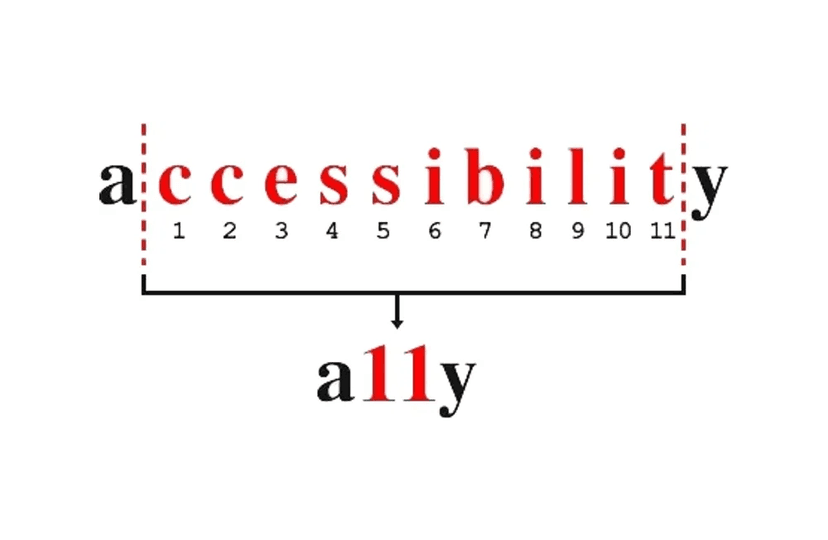
“a11y” stands for accessibility. It's a numeronym where 11 is the number of letters between the “a” and the “y” in the word accessibility.
Accessibility can mean different things in different contexts. Online, a11y is used to label content about digital accessibility.
How to create digital guides that engage
Looking for tips on writing guides that are both engaging and inclusive? Sofie Bergkvist runs Bergkvist ORD & TEXT and is an expert in exhibition texts and guide scripts. In this webinar (in Swedish) she talks about how storytelling can enhance the experience, what makes good content and how to write accessible scripts.
Webinar with Sofie Bergkvist (in Swedish)
Book a demo
We'll cover:
- How the platform works and what's included
- How you get started and who does what
- Pricing and timeline for your app
- A chance to ask questions and see examples
Not quite ready for a demo yet?
Sign up for our newsletter and get more information in your inbox, so you can think it over at your own pace.